
I want to tell you about a weekend in February that changed how we think about onboarding.
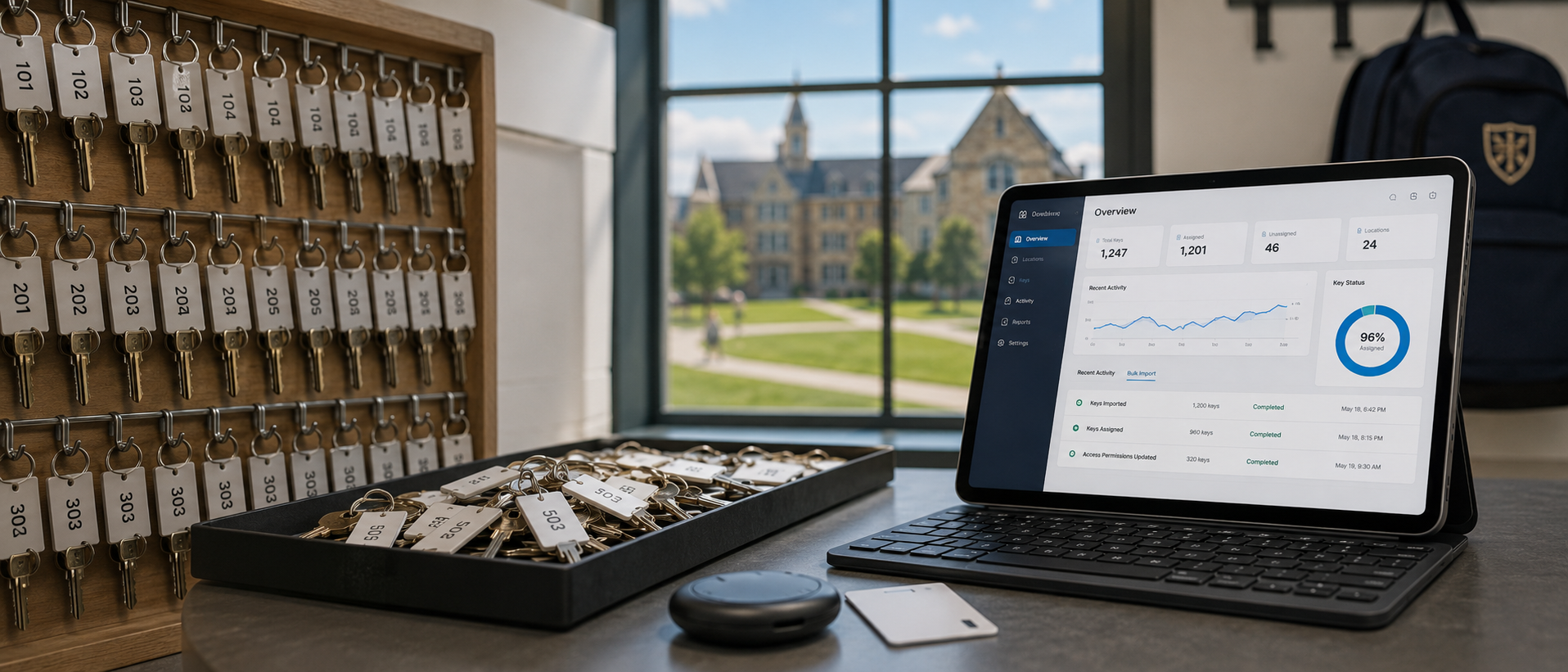
The customer is a long-established boarding school in the northeast — nine buildings on a large rural campus, about 480 students, 90 faculty and staff, and — until very recently — 1,200 physical keys tracked in a system that consisted of three loose-leaf binders, a wall pegboard, and the institutional memory of a long-tenured facilities supervisor who had been on the job for several decades.
He was retiring at the end of the academic year. The school's chief operating officer had been losing sleep about it for two years. Without him, nobody at the school could answer where any specific key was, who had it last, or who was supposed to have one. That knowledge lived in his head and in three binders that only he could decode.
The COO called us in mid-January with what she described as "a four-month problem we have to solve in six weeks." The plan was to get KeyDog implemented before spring break in early March so the outgoing supervisor could spend his last three months training the team on the new system instead of trying to rewrite the binders by hand.
Here is how that weekend went. The institution has asked us not to name them publicly; the operational details below are accurate.
The plan, before the weekend
We spent six weeks before the implementation weekend doing nothing but preparation. This was the most front-loaded onboarding we have ever run, and it is what made the actual go-live possible.
The prep work:
- Two on-campus days with the outgoing supervisor. One of our engineers flew out and spent eleven hours over two days sitting with him at the pegboard, taking photos of every key, every label, and every binder entry. He walked us through the naming conventions, the master hierarchy, the "this one is mislabeled but everyone knows what it really opens" exceptions, and the half-dozen keys that had no documentation at all but had always been on the pegboard.
- A CSV translation effort. From the photos and the supervisor's narration, we built a spreadsheet of all 1,200 keys. The school's IT director then enriched it with current staff records pulled from their HR system. The result was an import-ready file with key stamp numbers, types, door associations, and current holders.
- Staff communication. The COO sent two campus-wide emails — one announcing the change, one with specifics about the weekend logistics. Faculty and staff were told to bring all keys to a central check-in station between Friday afternoon and Sunday evening for re-issuance through the new system.
- Three days of admin training. Five admin users — the incoming facilities supervisor, two assistants, the campus security lead, and the COO — went through training on KeyDog's checkout flow, audit trail, and offboarding view. By the end of training they could each issue a key, generate an agreement, look up a holder's keys, and run an overdue report without prompting.
Friday
The outgoing supervisor and his successor opened the check-in station at 1 p.m. on Friday. By 4 p.m., 312 keys had been returned, scanned against the import file, and physically tagged with a tamper-evident sticker indicating they had been recorded into KeyDog. Eleven keys did not match anything in the import file — these were keys that nobody had a record of but that staff had been carrying for years. The supervisor looked at each one, identified what it opened, and created a new record on the spot.
By the end of Friday, around 580 of the expected 1,200 keys were accounted for. The rest were still in the field, scheduled for return on Saturday.
Saturday
This is where it got interesting. The Saturday morning queue was long, and the check-in process — which had been taking about 90 seconds per key on Friday — was slowing down because of edge cases. A teacher would arrive with eight keys, half of which were duplicates of each other, with no clear record of which copy was authoritative. A custodian would arrive with a key ring of 23 keys, most of which were on the import file but four of which were not. A coach would arrive with one key that opened three different doors none of which were in the import file.
By 11 a.m. the new supervisor radioed his predecessor and asked him to come help. The outgoing supervisor spent the next six hours sitting at the table with a magnifying glass and a notebook, identifying mystery keys one at a time. The KeyDog admin team was logging each one into the system in real time as he called out the identification. By 5 p.m. another 480 keys had been processed, bringing the running total to about 1,060.
Around 6 p.m. we hit our worst case. A faculty member who lived on campus arrived at the table with a coffee can full of unmarked keys — roughly forty of them — that had been sitting in his apartment for "decades." He had inherited them from the previous occupant of his unit. Some of them might have been the school's keys. Some of them might not have been. The outgoing supervisor looked at the can and said, in front of everyone, "Throw them all in the lake."
This was met with concern. We negotiated. The forty keys were bagged, labeled, and set aside for him to evaluate the following week. (He eventually identified six as belonging to the school. The other thirty-four were retired to the lock museum, which is apparently a thing they have.)
Sunday
Sunday was reconciliation and stragglers. About 140 keys had not been returned and required individual outreach. The COO and the new supervisor split the list and called each holder. By Sunday afternoon, 1,196 of the 1,200 keys were either physically present and logged or formally documented as in-use with a confirmed holder and return date. The remaining four keys — three with a faculty member on sabbatical and one with a contractor — were tagged as "in field, confirmed" with notes and return dates.
At 6:14 p.m. on Sunday, the COO ran the dashboard. Inventory count: 1,200. Active issuances: 1,141. Available in central drawer: 55. Overdue: 0. She took a screenshot and sent it to me.
What we learned
We learned several things from this weekend that have changed how we run onboardings.
Pre-import work is non-negotiable for large inventories. The six weeks of preparation work were the difference between a 72-hour implementation and a 72-day one. Trying to do the import discovery during the implementation weekend would have been a disaster. We now offer a structured "discovery sprint" as part of any Campus or Enterprise onboarding above 500 keys.
The single most valuable on-campus presence is the outgoing veteran. The supervisor's six hours on Saturday saved us probably forty hours of follow-up work. The implicit knowledge in a veteran's head is the largest hidden risk in a campus key inventory. If your veteran is retiring, do the implementation before they leave, not after.
Tamper-evident stickers turned out to matter more than we expected. We added these as a last-minute idea — small numbered stickers that go on each key as it is recorded into the system. They made the reconciliation work much faster and gave the staff a visual signal that the transition was happening. Several customers have asked about them since, and we now ship them as part of any onboarding kit.
The campus-wide email cadence works. The COO's two emails set the expectation clearly enough that staff actually showed up with their keys. With her permission and identifying details removed, we have folded her email template into the boilerplate we share with every new Campus customer.
Where the school is now
Six weeks later, the school is running normally on KeyDog. The veteran has fully retired. His successor is comfortable with the system. The COO told me last week that she sleeps better. The pegboard is still on the wall, with all of its empty hooks, as a kind of memorial. He asked them to leave it there.
If you are facing a similar transition — a veteran retiring, an inherited paper system, an inventory that nobody has fully audited in years — this is what we do. This weekend was an extreme case, but the pattern is the same at smaller scales. Get in touch and we will talk through what your version would look like.
See KeyDog for yourself
Replace the key spreadsheet. Spin up a live demo or talk to our team about your campus.