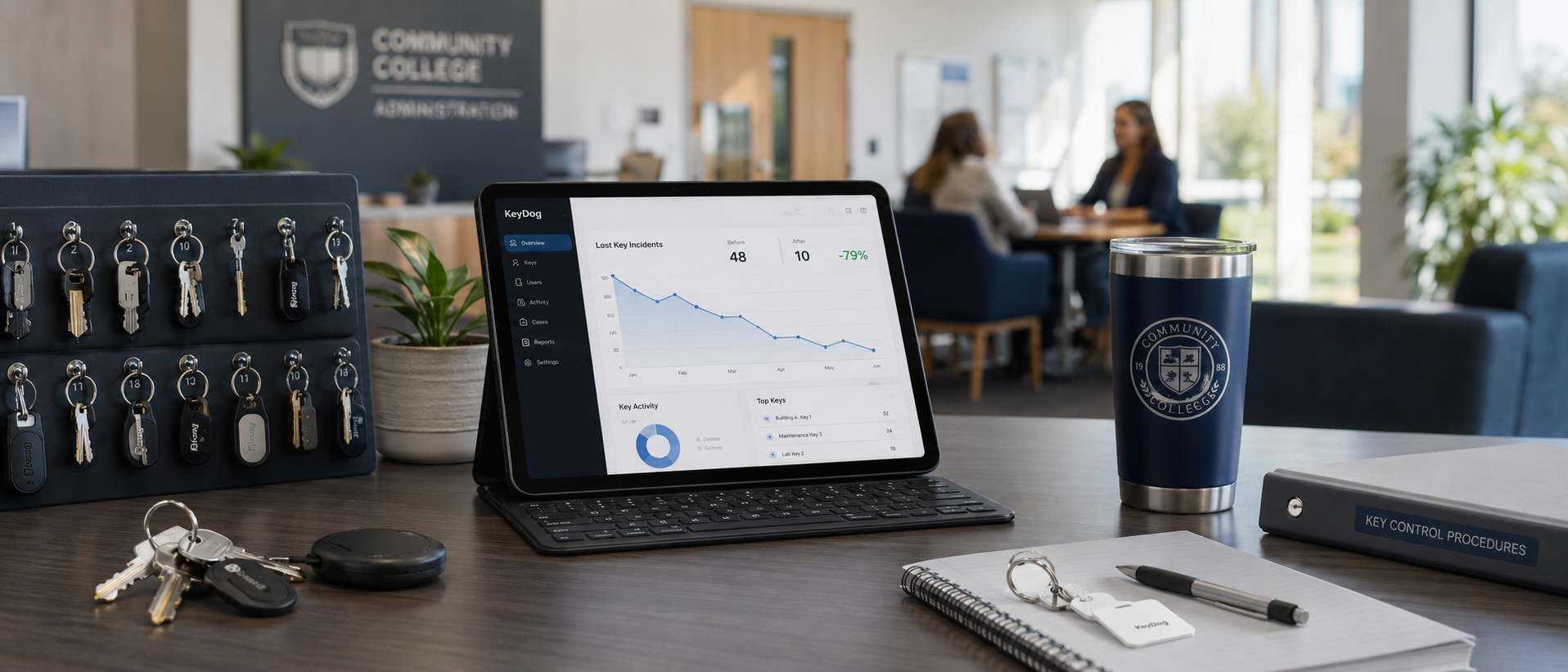

When I first walked into the facilities office at a mid-sized community college in early October, the first thing the assistant director showed me was the binder. It was a three-inch white binder with a label that said KEYS — MASTER. Inside were printed sheets, hand-corrected with pen, going back almost six years. The most recent page had been updated four months earlier.
"This is what we use," she said. "It is also a lie."
She runs facilities at a 4,000-student community college on the West Coast. She inherited the binder, the spreadsheet that was supposed to replace the binder, and a culture of "ask the person who would know," in which the person who would know was usually unavailable. By her count, the team had lost track of 18 keys in the previous twelve months — meaning they did not know who held them, whether they had been returned, or whether they were physically present.
She agreed to a 90-day pilot of KeyDog starting in late October. This is what happened. (At the institution's request, we have kept the specific campus anonymous; the numbers below are the actual numbers from the pilot.)
The starting condition
Before we get to the results, here is what the campus was working with on day one:
- 47 master and classroom keys actively assigned across three buildings
- 24 staff members holding at least one key
- 6 outstanding keys that were "probably with maintenance, somewhere"
- 11 keys whose last-known holder was no longer employed at the college
- 1 master key whose last documented location was a 2023 sticky note that said "borrowed for HVAC, return Friday"
The spreadsheet existed. It was reasonably well-maintained for the rows nobody had changed in a while. The rows nobody had changed in a while were also, predictably, the wrong ones — the dynamic rows representing keys that actually moved between staff members had quietly drifted out of sync with reality.
The goal for the pilot was modest. They wanted to be able to answer one question — "where is every key right now" — without consulting another person.
Day 1 to Day 14: the import
The first two weeks were the unglamorous work of getting the existing inventory into KeyDog. Importing the spreadsheet was the easy part — that took an afternoon. The harder part was the reconciliation: walking the buildings, opening the drawers, and confirming which keys actually existed versus which only existed in the spreadsheet.
Three keys were in the spreadsheet but could not be located physically. Two keys were physically in a drawer but were not in the spreadsheet at all. One key was filed under the wrong stamp number. This is normal. Every campus we have onboarded has discovered ghost keys and orphan keys during the first reconciliation. It is one of the more uncomfortable parts of the process, and it is also one of the most valuable.
By the end of week two, the campus had 47 keys in KeyDog, every one of which was confirmed against a physical key in either a holder's possession or a documented drawer location.
Day 15 to Day 45: the behavior change
Once the inventory was real, the next phase was getting the team to actually use the system at the moment of every key transaction. This was not technically hard — KeyDog's checkout flow takes about thirty seconds for an experienced admin — but it required cultural change. The team had to stop handing keys across the counter and writing it down later. They had to issue at the counter, in the system, with a signed agreement.
The director made this a hard rule for her staff and stood at the counter for the first week to enforce it. By the end of week six, every issuance was happening in the system at the moment of the transaction. Nobody was writing things down to enter later.
The first observable behavior change came from the overdue reminders. KeyDog started emailing key holders three days before their return date, again on the day, and then weekly until the key came back. The director told me later that two keys came back in the first month from staff who had completely forgotten they had them — one had been sitting in a desk drawer since the previous summer.
Day 46 to Day 90: the numbers
This is the part the CFO wanted to see.
| Metric | Pre-pilot (12-month baseline) | Pilot (90 days, annualised) | Change |
|---|---|---|---|
| Lost keys (no known location) | 18 | 4 | −78% |
| Overdue keys at month-end | 9 | 2 | −78% |
| Time to answer "who has key X" | ~15 minutes (average) | <30 seconds | −97% |
| Staff hours per month on key admin | 11 | 4 | −64% |
| Outstanding keys held by former employees | 11 | 0 | −100% |
The "lost keys" number is the headline. The "former employees" number is the one the director told me she actually cares about. Eleven keys held by people who no longer worked at the college was eleven liabilities sitting in eleven unknown desk drawers. By the end of the pilot, all eleven had been either recovered or formally written off as lost — with a documented audit trail showing the process — and no new ones had been allowed to accumulate.
Why? Because KeyDog's offboarding view shows everything a staff member holds in a single screen. When HR processes a termination, the facilities office gets a notification, opens that staff member's record, and works down the list. No cross-referencing. No remembering whether they ever had the science wing master. The system already knows.
What did not go to plan
A few things did not work the way we expected, and I want to be honest about them.
The PDF key agreement template needed two revisions before the office was happy with it. The default template was too generic for their union environment, and they needed specific language about cost-recovery procedures for lost keys. KeyDog supports custom agreement templates, but it took a couple of back-and-forth iterations to get the language right.
The overdue reminder schedule was too aggressive at first. The default sends a reminder every seven days after the due date, and a few staff members complained that they felt nagged. The director dialled it back to every fourteen days, which struck the right balance for her culture. There is no universal correct cadence — it depends on the institution.
Self-service kiosks were on the road map for the pilot but did not land in time. The campus ended up doing all checkout through the admin counter, which is fine for their volume but would not scale to a larger campus with more after-hours activity. Kiosks shipped in the 2.3 release that I will write about separately.
What the director told us
I asked her at the end of the pilot for a quote. Paraphrased, with her permission and with identifying details removed:
I will be honest — I did not love switching off the spreadsheet. The spreadsheet was a lot of work, but it was my work, and I knew where the bodies were buried. KeyDog took that crutch away. What I got back was a system that does not need me to remember anything. I can take a vacation now without leaving a four-page handover document for whoever is covering. That is the part I did not expect.
That is the part most facilities directors do not expect, in my experience. The visible win is the lost-keys number. The actual win is that the work stops depending on one person's memory.
What this costs
The campus is on the Campus plan at $199 a month, with the Long-term Retention add-on for 5-year audit history. That is $2,400 a year. Their pre-KeyDog 12-month lost-key recovery and rekey costs ran about $14,000, plus the soft costs of the staff time and disruption. The system paid for itself in the first sixty days.
If you are running a community college, a K-12 district, or any campus with a similar profile and you would like to talk through what a pilot looks like for your environment, I would love to talk. The 90-day pilot model — full feature access, dedicated onboarding support — is what we offer by default.
See KeyDog for yourself
Replace the key spreadsheet. Spin up a live demo or talk to our team about your campus.