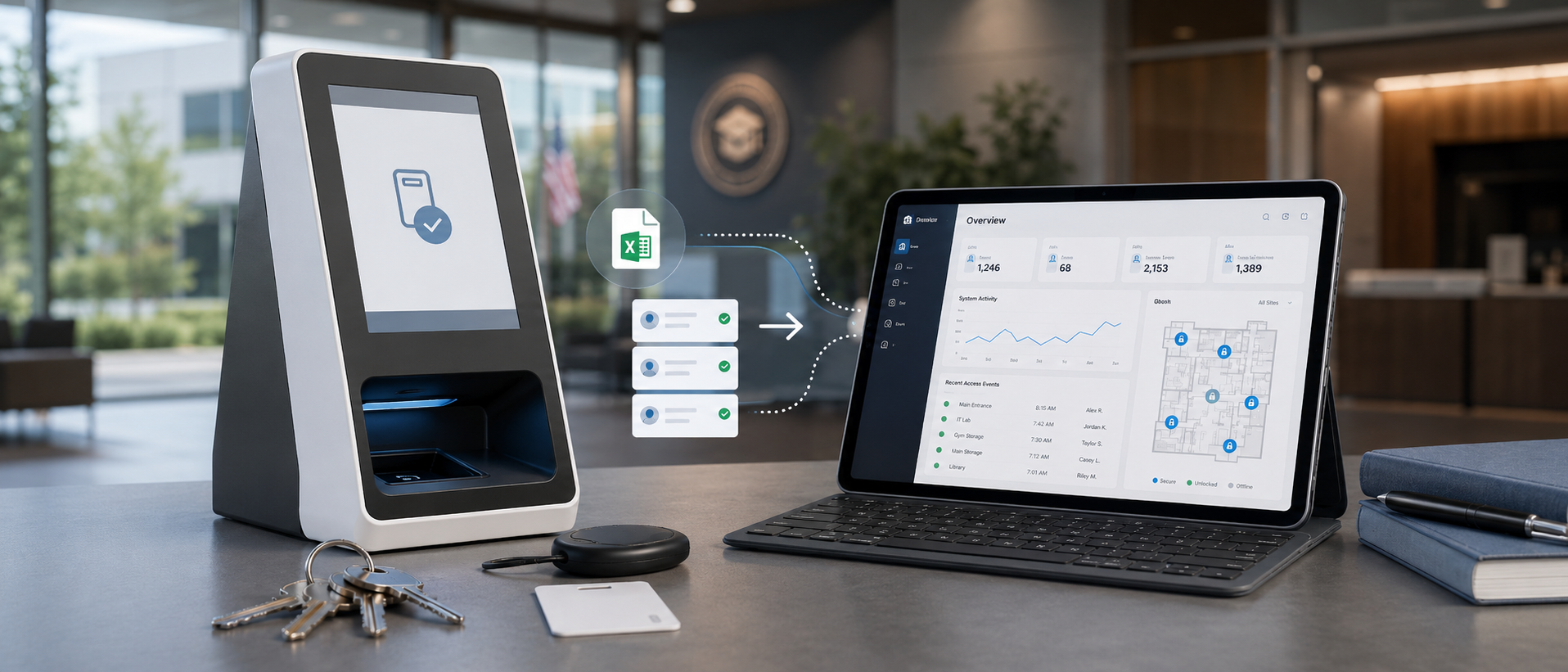

KeyDog 2.3 rolled out to all customer instances last week. This is the second major release of the year and the largest one we have shipped since launch. Three headline features, five quality-of-life improvements, and a small pile of bug fixes. I want to walk through what changed and what it took to get it there.
Headline 1: Self-service kiosks
This is the feature pilots have been asking for since before we shipped 1.0. A self-service kiosk is a dedicated touchscreen terminal — typically a tablet or small all-in-one PC — running KeyDog in a locked-down mode. Staff authenticate with a PIN or a fob and can check keys in and out without an admin standing at the counter.
The technical interesting bits:
- Kiosk mode is a separate runtime profile. It does not run the admin UI. It runs a stripped-down React surface that only knows how to authenticate, list a holder's eligible keys, and write checkout/return events to the audit log. Smaller attack surface, smaller binary, faster boot.
- PIN auth is rate-limited per device and per user. Three failed PIN attempts in five minutes locks the device for fifteen minutes, with an alert to the admin team. We tested this against a handful of obvious brute-force scenarios during the engineering review.
- Every kiosk event is tagged with the kiosk's UUID so the audit log shows not just "issued by Maria" but "issued by Maria via Kiosk K-002 in the maintenance corridor." If you ever need to forensically reconstruct who was where, the kiosk identity is part of the trail.
- Offline mode degrades gracefully. If the kiosk loses connectivity, it queues events locally and replays them when the connection returns. Hash-chained on the server side at replay time, so the audit chain stays valid.
To enable kiosks, an admin user provisions a kiosk in Settings → Devices, generates a one-time pairing code, and walks to the device to enter it. The device is then bound to the customer instance for its lifetime. Pairing codes expire after fifteen minutes. We have already had two customers ask whether they can self-destroy a kiosk remotely; the answer is yes, from Settings → Devices → Revoke, which immediately invalidates the device token.
Kiosks are a Campus and Enterprise feature. They are not on Starter. If you are on Starter and want to try them, contact sales for a temporary upgrade.
Headline 2: Bulk import, redone
The original bulk import flow was, to put it charitably, "minimum viable." You uploaded a CSV, the system tried to parse it, and if any row failed validation the whole import rolled back with a generic error. Most onboardings ended up doing imports in batches of fifty rows to keep the error surface manageable.
The new flow:
- Upload your CSV.
- The system parses it and shows you a per-row preview with validation status. Green for valid, yellow for warnings, red for errors.
- Fix errors in place in the browser (no re-uploading), or download the parsed file with annotations to fix in Excel and re-upload.
- Choose to import valid rows only, or fail the whole batch if there are any errors. Customer's choice.
- Watch progress as it runs. Cancel mid-flight if you spot a problem.
Under the hood we replaced the synchronous import path with a job-queue-backed worker that streams CSV rows into a staging table, runs validation against the live schema, and commits in batches with savepoints. This means a 10,000-row import no longer holds an HTTP connection open for ten minutes — it returns immediately with a job ID, and the UI polls.
The schema for staff, keys, doors, and fob profiles imports is documented in the Import Guide, which is linked from each import dialog. The guide is also where to find the templates if you would rather start with a known-good CSV than try to massage your own.
Headline 3: Dashboard redesign
The old dashboard was a wall of numbers. The new one is also a wall of numbers, but the numbers are now organised by whether they need your attention today or not. The "today" widgets are at the top: overdue keys, pending approvals, recent audit events, staff offboardings to action. The trend widgets are below: key inventory by status, audit-event volume over the last 90 days, plan capacity usage.
The dashboard is now configurable per user. Each admin can hide widgets they do not care about and reorder the rest. Preferences are stored per user, per instance, so a director's dashboard looks different from an admin assistant's.
Performance-wise the new dashboard does a lot more SQL than the old one, but we moved the queries to read replicas and added per-widget caching with a 30-second TTL. Load time is actually faster than the old dashboard for most customers — most measured at under 400ms.
Quality-of-life improvements
A handful of smaller things that did not get their own headline but matter.
- Saved searches. Any filter combination on the keys, doors, staff, or audit views can be saved with a name. Saved searches show up as quick-filter chips at the top of the view.
- Bulk actions on audit views. Select multiple events and export to CSV in one click. Previously this was one event at a time, or a full export.
- Time zone handling. Every timestamp in the UI now respects the user's profile time zone instead of the instance's default. Audit log exports include both the original UTC timestamp and the user-local one in adjacent columns.
- PDF agreement attachments. Custom agreements can now reference any custom field on the key or staff record. We expanded the templating syntax to include conditionals, so you can have one template that handles both "key holder is an employee" and "key holder is a contractor" cases without maintaining two templates.
- Webhook retries. Outgoing webhooks (the ones you can configure to fire on audit events) now retry with exponential backoff up to six attempts over twenty-four hours, rather than firing once and giving up. Failed deliveries are visible in Settings → Webhooks → Delivery log.
Fixes
The notable bug fixes:
- Fixed a race condition where two admins issuing the same key simultaneously could both succeed (one would have its event overwritten in the projection cache; the audit log was always correct, but the UI would lie about state for up to thirty seconds).
- Fixed a bug where archived staff records were still appearing in the holder dropdown on the issue-key form.
- Fixed a CSV export issue where commas in resource names were not being properly quoted, breaking imports into Excel.
- Fixed the floor plan view's behavior when the underlying PDF was larger than the browser canvas — it now zooms to fit on initial load rather than rendering at full size and requiring manual zoom out.
- Fixed an issue with the password reset email going to the user's old address if they had updated it within the last hour.
What is next
The 2.4 cycle is already underway. The headline items for 2.4 are a redesigned permissions engine (with custom roles), a public webhook for staff onboarding, and a long-overdue revamp of the reports section. ETA is late April or early May.
If you find a bug or have a request, the place to send it is support@keydog.io. We read every message.
See KeyDog for yourself
Replace the key spreadsheet. Spin up a live demo or talk to our team about your campus.